The CompTIA Network+ certification is a globally recognized credential that validates your ability to manage and troubleshoot modern networks - a key skill for IT operations, network administration, and technical support. It’s a valuable certification that can boost your credibility and career opportunities in the IT industry.
This Network+ study guide covers the exam structure, essential topics, study strategies, and tips to help you prepare effectively and pass with confidence. Let’s begin!
Why CompTIA Network+?
Before we dive into the certification exam and other details, it is important for you to understand the key benefits of pursuing this certification.
- Demonstrated Competency: Earning the Network+ certification demonstrates your competency in networking, making you more attractive to potential employers. It shows that you have a solid understanding of the principles and best practices of network design, network monitoring, configuration, and management.
- Industry-Recognized Credential: CompTIA Network+ is one of the globally recognized certifications that is trusted by employers in various industries. It is a vendor-neutral certification, meaning it is not tied to a specific technology or platform, making it valuable across different organizations. Organizations such as Apple, Dell, Intel, RICOH, DoD, and Blue Cross recommend or prefer candidates with Network+ credential.
- Lucrative Career Opportunities: Having the Network+ certification can open doors to entry-level and mid-level positions in network administration, network support, and IT roles. It can also be a stepping stone to more advanced certifications, such as CompTIA Security+ which can lead to higher-paying job opportunities.
- Wide Applicability: The knowledge and skills acquired while preparing for the Network+ certification are applicable in a variety of IT roles.
Job roles you can target:
- Security Architect
- Solutions Architect
- Tier II IT Support Technician
- Cyber Security Analyst
- Network Administrator
- Systems Administrator
- Server Administrator
- IT Support Manager
- IT Administrator





Understanding the Network+ Exam
The first step in preparing for the CompTIA Network+ (N10-009) exam is gaining a clear understanding of what the exam entails. This section will cover essential details about the exam, such as the number of questions, the exam format, the time allocated, the exam domains, and the key knowledge areas being tested.
Number of Questions and Exam Format
The CompTIA Network+ exam consists of up to 90 questions, combining multiple-choice questions (MCQs) and performance-based questions (PBQs). PBQs test your ability to apply knowledge in a simulated environment - for example, configuring devices, analyzing logs, or troubleshooting network issues hands-on.
The MCQs often follow a “given this scenario” format. You might see a question like: “You work for a company of 150 employees, and several users report they can’t access the network printer. What is the first step you should take?” These questions put you in a real-world situation and ask you to choose the best action or identify the most likely cause of the problem.
To pass the exam, you’ll need a score of at least 720 on a scale of 100-900.

CompTIA Network+ Exam Cost:
The CompTIA Network+ N10-009 Exam Voucher costs $369 USD.
Exam Duration
You will have 90 minutes to complete the Network+ exam. This time constraint can make time management a crucial factor in exam success. Therefore, it's essential to be well-prepared and efficient in answering questions. You can take the CompTIA Network+ test either in any Pearson VUE test center or online through Pearson VUE’s OnVUE system.
CompTIA Network+ Study Guide - Exam Domains and Key Knowledge
The Network+ exam is divided into various domains, each covering a specific area of network administration and support. The five main domains in CompTIA Network+ certification exam are:
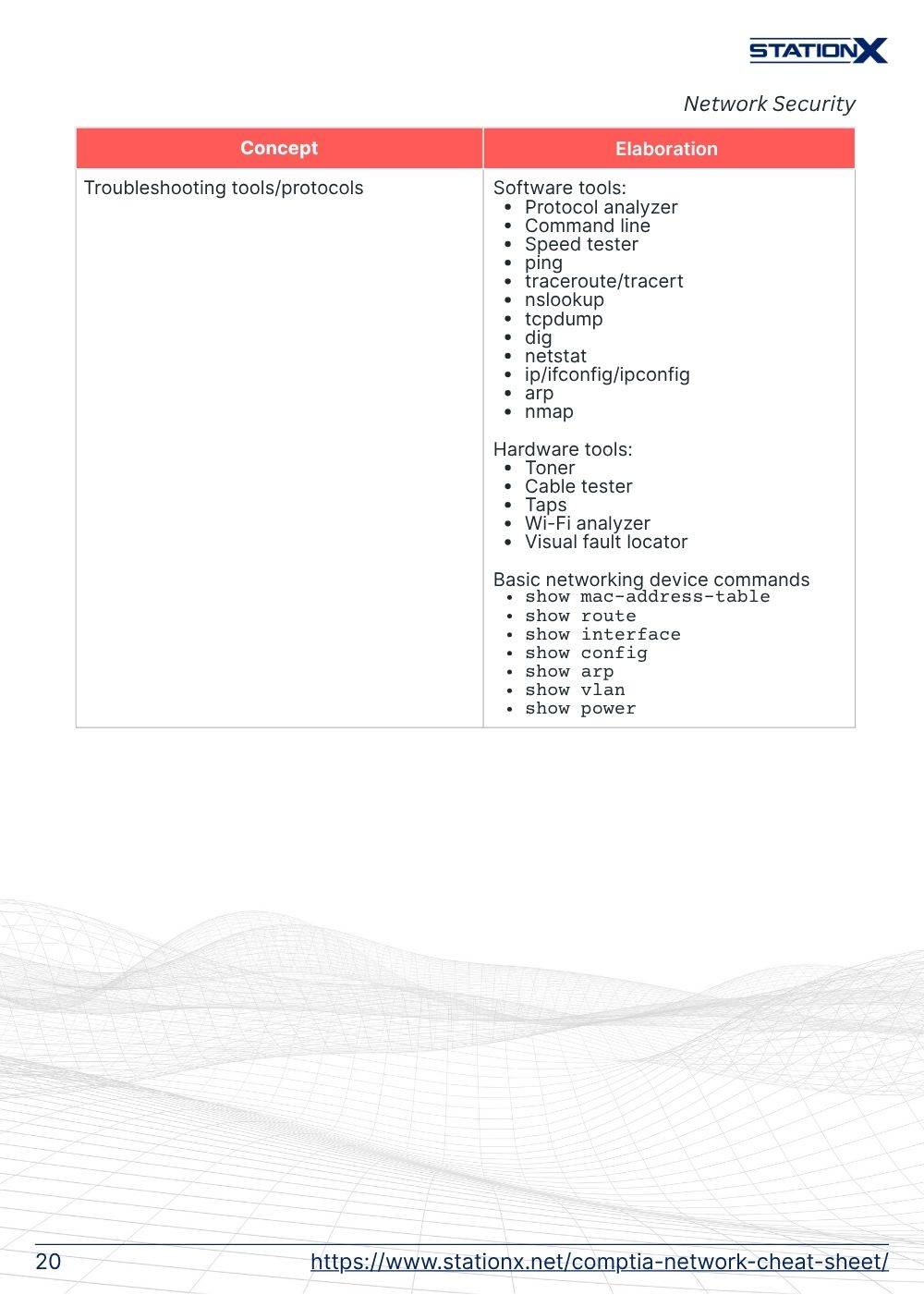
- Networking Troubleshooting (24%) - Emphasizes structured troubleshooting approaches, resolving connectivity and performance challenges, using diagnostic tools effectively, and interpreting network schematics to locate issues.
- Networking Concepts (23%) - Delves into foundational principles such as the OSI and TCP/IP frameworks, network protocols and port usage, IP addressing strategies, data center and cloud infrastructure, and virtualization technologies.
- Network Implementation (20%) - Addresses the setup and deployment of networking equipment, wireless standards implementation, routing and switching configurations, and ensuring accurate cable and hardware setups.
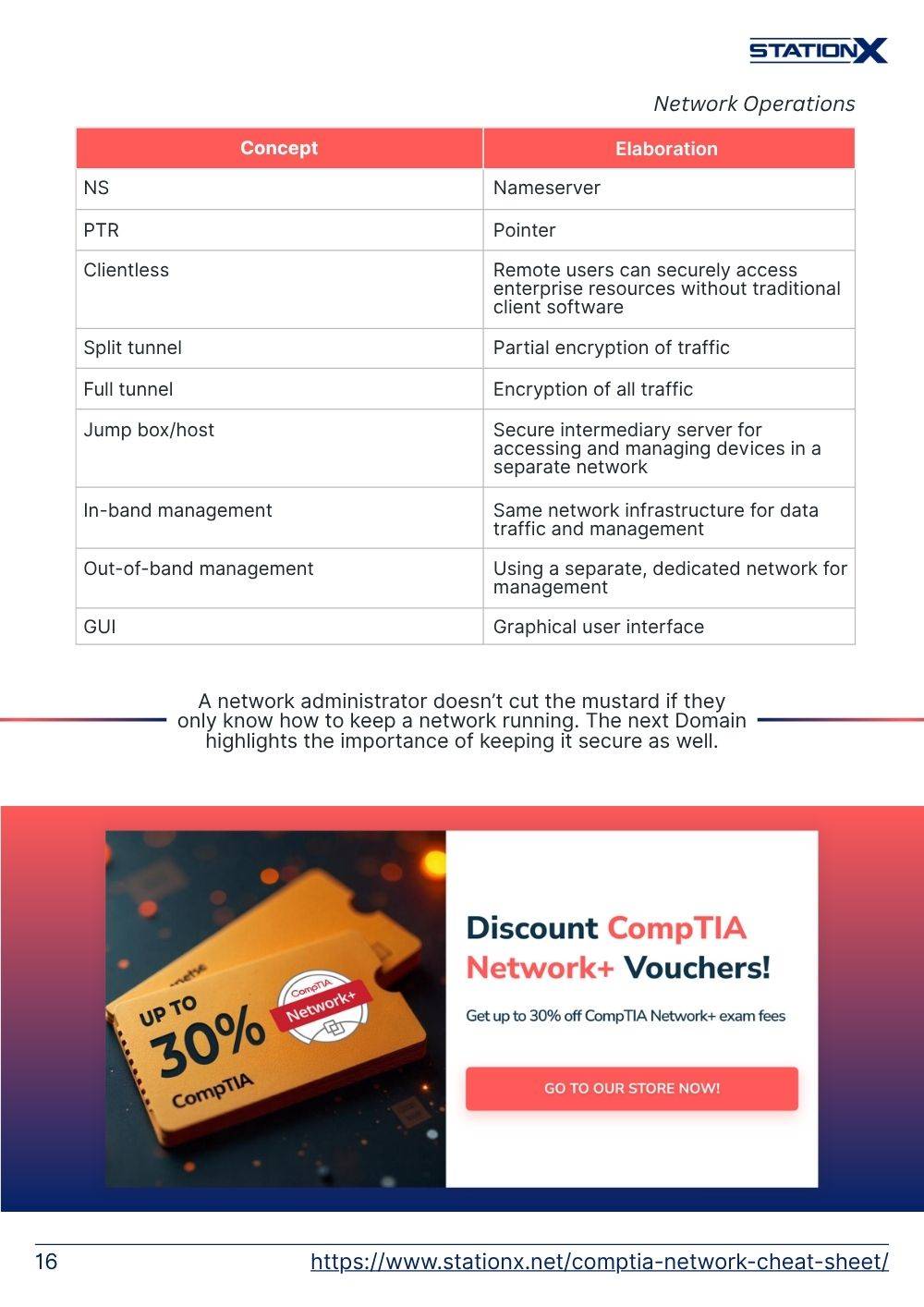
- Network Operations (19%) - Covers network performance monitoring, managing incidents and recovery processes, and applying policies to maintain operational stability and network availability.
- Network Security (14%) - Focuses on critical security principles, recognizing threats and vulnerabilities, applying protective measures to harden networks, and safeguarding physical and remote access.
Each domain has its own set of objectives, you must have a solid understanding of the key concepts, principles, and skills associated with each domain to pass the exam.
Exam Prerequisites
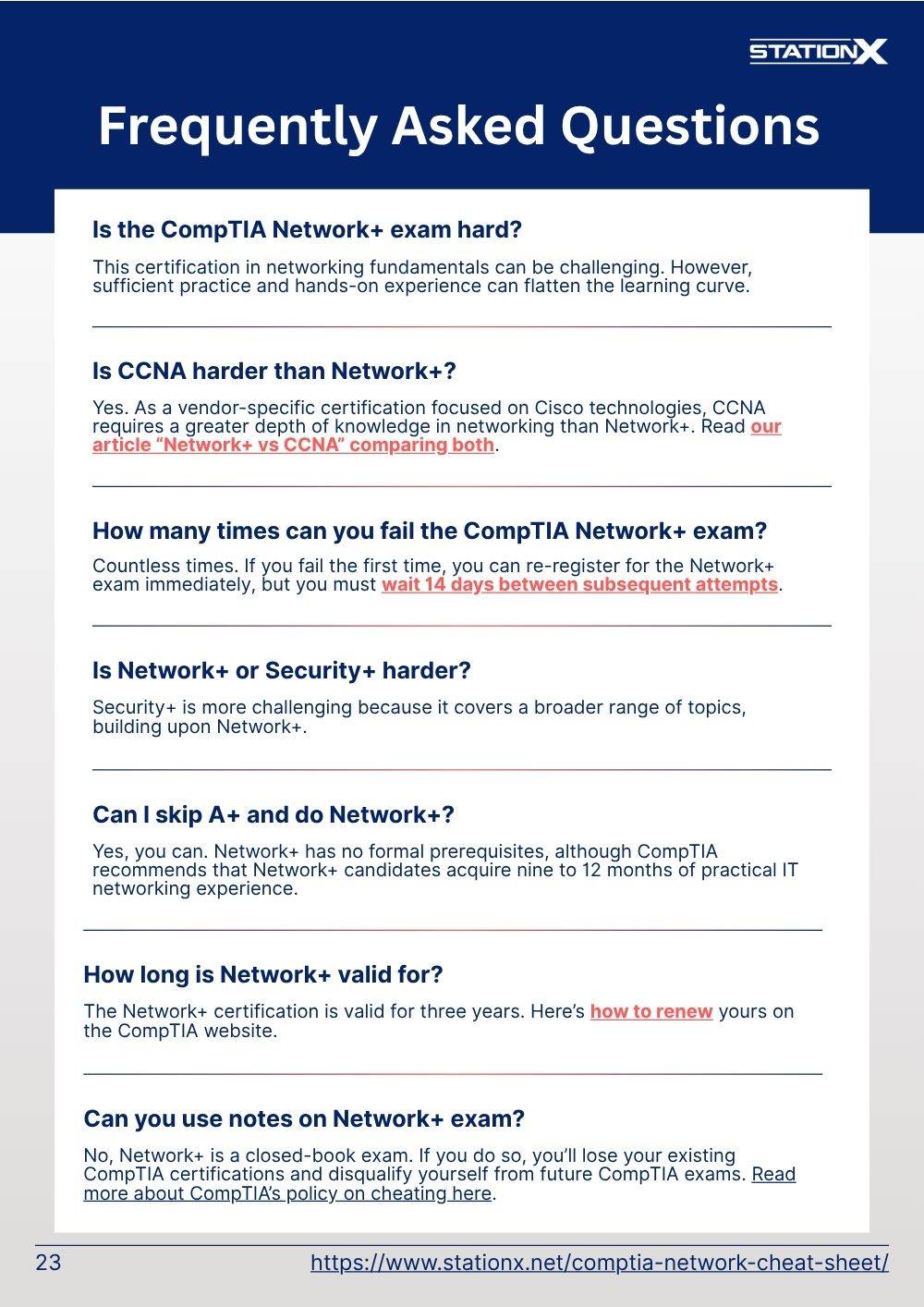
There are no strict requirements to sit for the CompTIA Network+ exam, but CompTIA recommends having a CompTIA A+ certification and nine to 12 months of hands-on experience in a junior network administrator or network support role before attempting the test.
While this is CompTIA’s guidance, many candidates take Network+ without direct job experience. What CompTIA really means is that someone with nine to 12 months of experience will likely hold the required knowledge to sit the exam. Your own goal would be to gain that equivalent knowledge through your own studies.
If you’ve mastered A+ or have a similar foundation in IT basics, you’re in a great place to start studying. Committed preparation, including reading, practice tests, and hands-on lab work, can more than make up for not having real-world experience. Don’t let the lack of a formal job title discourage you - Network+ is designed to help you get into those roles in the first place.
Researching Key Topics
To excel in the Network+ exam, you should pay particular attention to certain topics that are often considered challenging but are fundamental for success. The CompTIA Network+ certification verifies that the successful candidate has the knowledge and skills in:
- Fundamental concepts like subnetting, port numbers, network topologies, types of communications and networking cables, etc.
- Establishing network connectivity by deploying wired and wireless devices
- Understanding and maintain network documentation
- Understanding the purpose of network services, basic data center, cloud and virtual networking concepts
- Monitoring network activity, identifying performance issues and availability issues
- Implementing network hardening techniques
- Managing, configuring and troubleshooting network infrastructure
- Recognizing and mitigating ARP poisoning and DNS poisoning attacks
- Applying a structured troubleshooting methodology to isolate and resolve issues
Creating a Study Plan
A strong study plan is the foundation of success on the CompTIA Network+ exam. The goal is to assess where you are, set a realistic timeline, and choose the right study approach to cover all five exam domains thoroughly.
Assessing Your Current Knowledge
Before building your plan, take stock of what you already know. Review the official Network+ exam objectives and ask yourself:
- Do you understand basic networking models like OSI and TCP/IP?
- Are you comfortable with subnetting, IP addressing, and routing basics?
- Do you know common ports and protocols (80 = HTTP, 443 = HTTPS)?
- Can you explain wireless standards, cabling types, and topologies?
- Are you familiar with network security fundamentals like firewalls, ACLs, and VPNs?
If many of these are unfamiliar, spend extra time on fundamentals before diving into exam prep.
Guest what? Writing down your goals can boost your success rate from 42% to a solid 60%!
Setting a Timeframe
Your timeframe should match your starting point. If you don’t have much hands-on experience, plan for 3-4 months of preparation to work through all domains, memorize port numbers, and get comfortable with labs and practice questions. If you already work with networks daily, you may be ready in less time.
Break your schedule into weekly goals. For example, focus on one exam domain per week, then leave the last few weeks for practice tests and review. Consistency is key: even 30-45 minutes daily can keep you on track.
Study shows that proper management of time will improve your success rate from 56% to a whopping 80%.
Solo Practice or with a Partner?
Decide whether you’ll study alone or with a partner. Solo study allows you to go at your own pace, while a partner can provide accountability and a fresh perspective. With a study partner, you can:
- Quiz each other verbally (not just multiple-choice).
- Explain concepts to one another (teaching boosts retention up to 90%).
- Discuss real-world examples to reinforce understanding.
It's been observed that simply discussing what you're learning can increase your memory retention by 50%. By teaching someone else, that retention jumps to a remarkable 90%!
Creating a Structure
Organize your plan around the five exam domains, dedicating time to each and increasing focus on your weak areas. Include:
- Active practice with flashcards or lab simulations
- Practice tests to identify gaps and get comfortable with timing
- Regular review sessions to reinforce material
If you prefer guided learning, consider a structured program like the StationX Master’s Program, which offers courses, labs, and practice tests for Network+ and beyond, though self-study works fine if you stay disciplined.
Information Security Courses Bundles
Want lifetime access to expert-led cyber security training? Explore our Information Security Course Bundles — one-time purchase packages covering top topics like Ethical Hacking, Cloud, Linux, DevSecOps, and CompTIA certifications.
Choosing Resources
Selecting the right study resources is crucial for a successful Network+ exam preparation. This section will help you select the most suitable resources, including video courses, written content, and practice tests.
Video Courses
Video courses are excellent for visual and auditory learners. They break down complex topics into digestible lessons, often with demonstrations. To get the most out of video content:
- Take notes while you watch to boost retention.
- Pause and practice commands or labs as you go.
- Re-watch tough sections until you feel confident.
Written Content
Books, PDFs, and official study guides give you in-depth coverage and serve as reference material when reviewing weak areas. Add value by:
- Using a highlighter or sticky notes to mark key concepts.
- Creating your own cheat sheets for ports, OSI layers, and acronyms.
- Double-checking you have the latest edition that matches the current exam version (N10-009).
Practice Tests
Practice tests are the single best way to gauge exam readiness. They help you get familiar with timing, question style, and your weak spots. To maximize their value:
- Take a baseline test early to see where you stand.
- Review every wrong answer to learn why it’s wrong.
- Repeat until you consistently score above the passing mark (720/900).
Study Strategies
Effective study strategies are what turn a good plan into real exam readiness. Beyond just reading or watching videos, you need to actively engage with the material so you can recall it on test day. Here’s how to make each strategy work for Network+ N10-009 specifically:
Note-Taking
Taking notes isn’t just copying what you read, but processing and summarizing in your own words. Focus on:
- Key concepts from each of the five domains (Networking Concepts, Implementations, Operations, Security, Troubleshooting)
- Diagrams - redraw network topologies, the OSI and TCP/IP models, and VLAN setups
- Tables - create quick references for ports, cable types, and wireless standards
Review your notes weekly. The act of rewriting or organizing them reinforces retention and highlights gaps you still need to fill.
Flashcards
Flashcards are perfect for memorization tasks. Include:
- Port numbers and protocols (22 = SSH, 443 = HTTPS)
- OSI model layers and their functions
- Cable types and speeds (Cat5e, Cat6, fiber modes)
- Wireless standards and frequencies
- Acronyms and security terms (DHCP, DNS, AAA)
Digital flashcard apps (Anki, Quizlet) let you drill these daily with spaced repetition, which is ideal for short study sessions.
Self-Quizzing
Self-quizzing is more than taking a practice exam. Use two approaches:
- Solo quizzes: After a study session, close your notes and try to write down from memory the OSI layers, key commands, or troubleshooting steps.
- Partner quizzes: Have a study buddy ask you scenario-based questions like “The users in one department report they can’t access a shared printer. What’s your first troubleshooting step?”
This mirrors the scenario-based multiple-choice questions you’ll see on the exam and strengthens recall under pressure.
Tackling Challenging Topics
When you find a weak spot in your knowledge, pause and focus there. Use multiple resources (video walkthroughs, labs, diagrams) until it clicks. Tie this back to your self-evaluation: if a domain was flagged as weak when you reviewed the official CompTIA exam objectives PDF, dedicate more time here before moving on.
Memorizing Acronyms and Models
Acronyms are common in networking. Create memory aids or mnemonic devices to remember acronyms and their meanings.
For example, "OSI" can be remembered as "Please Do Not Throw Sausage Pizza Away" for the OSI model layers (Physical, Data Link, Network, Transport, Session, Presentation, Application). Alternatively, you can use the phrase “All People Seem To Need Data Processing” to remember the same OSI layers in the reverse order.
Technical Exam Tips
Remember, CompTIA Network+ questions often have a scenario-based format, so read carefully. Expect to see questions with ”hard numbers” that you’ll need to recall from memory. Focus on:
- Subnetting: Be able to quickly calculate subnets and identify valid host ranges.
- Port Numbers: Know the most common ones cold (22 = SSH, 53 = DNS, 443 = HTTPS).
- Cable Types and Speeds: Expect to identify Cat5e, Cat6, fiber standards, and maximum speeds/distances.
- OSI Model: Be prepared for “what layer” questions - map protocols and devices to layers.
- Wireless Standards: Know frequency, max throughput, and range for 802.11a/b/g/n/ac/ax.
Pro Tip: Many test-takers on Reddit report that these topics appear multiple times, so having them memorized is one of the best uses of your study time.
Test Center and Remote Testing Tips
Whether you take the exam at a Pearson VUE center or at home via online proctoring, be prepared for the environment.
At a Pearson VUE Test Center:
- Arrive early to allow time for ID checks and security screening.
- Personal items (phones, watches, food, drinks) must stay in a locker.
- Expect to be monitored by a proctor and CCTV cameras.
Testing from Home (Online Proctored):
- Ensure a distraction-free, private space - no one can enter the room during the exam.
- Check your webcam, microphone, and internet connection ahead of time.
- Remove prohibited items from your desk; even a phone in view can end your session.
- Warn family, roommates, or pets (yes, even cats!) not to interrupt you.
Both methods are equally secure, so choose the one where you’ll feel most comfortable and focused.
General Test-Taking Strategies
- Get a full night’s rest and eat a balanced meal before your exam.
- Don’t get stuck on a single question. Flag it, move on, and come back.
- Breathe, slow down if you feel rushed, and trust your preparation.
- Double-check flagged questions at the end if time allows.
Common Mistakes to Avoid on the Network+ Exam
- Spending Too Long on PBQs: These take the most time. Decide ahead of time whether to do them first or last.
- Leaving Questions Blank: CompTIA doesn’t penalize guessing; mark an answer even if you’re unsure.
- Overthinking Simple Questions: If it’s straightforward, trust your first instinct.
- Ignoring Exam Objectives: Every question maps to a domain, so don’t neglect weaker areas.
Tips Specific to CompTIA Network+:
Here are some useful tips for you specifically related the CompTIA and Network+.
- Pay close attention to the each question as CompTIA Network+ questions can intentionally be phrased in a tricky manner.
- Don’t be afraid to come back to questions later - you may find the answer you’re looking for embedded in another question.
- Know your subnetting really well. Same goes for cabling standards, port numbers, and the OSI reference model. You will likely see these more than once.
Conclusion
With a solid Network+ study guide, the right mix of resources, and smart strategies, you can walk into exam day with confidence. Stay consistent, focus on mastering the five domains, and trust your preparation. Earning the Network+ is a testament to your commitment to building a strong foundation for your IT career.
When you’re ready to earn this in-demand certification, get lifetime access to the CompTIA Network+ Training Bundle (N10-009): 4 Courses. This bundle gives you everything you need to study effectively and prepare with confidence — including 35 hours of on-demand video, 5 full-length practice exams, 19 quizzes, 300+ flashcards, mobile access, and a certificate of completion.
You can also purchase your Network+ exam voucher through us and save up to 30% off the official price.
And if you’re serious about advancing your career, consider joining the StationX Master’s Program. With over 30,000 courses and labs, 1:1 mentorship, guided roadmaps, and study groups, we’ll help you not just pass the Network+ exam but achieve your long-term IT and cyber security goals.
This CompTIA Network+ Training Bundle (N10-009): 4 Courses contains:
- CompTIA Network+ Objectives: Total N10-009 Course
- CompTIA Network+ Study Guide: Master N10-009 Objectives
- CompTIA Network+ N10-009 Practice Test
- CompTIA Network+ Course: Practice Exam Flashcards